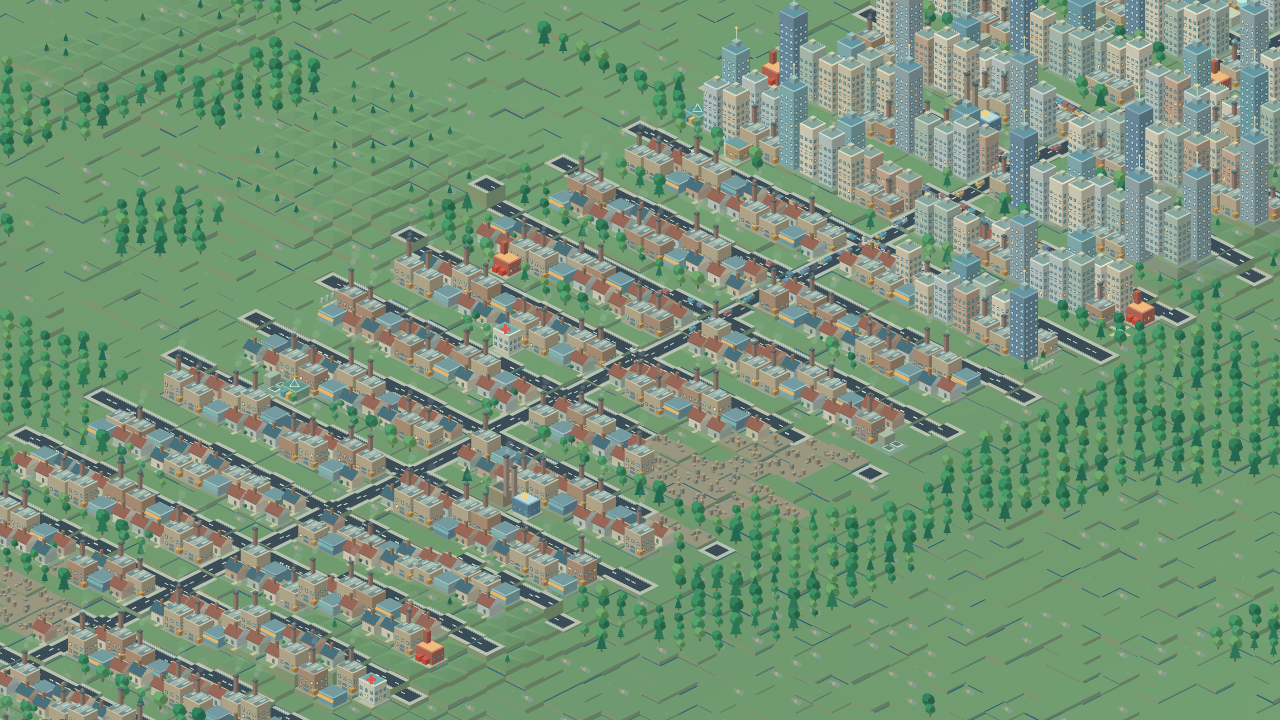
Build communities across seeded regions and authored scenarios. Connect roads, utilities, jobs and real service fleets; manage transport, districts, trade, elections, disasters and a growing city's budget.
Human-designed Human-directed game concept and rules; development may use AI assistance.
Download installer (.exe)Install and play through the BlueEngine Games launcher, or run the Windows x64 installer. WASD pans; rebind shortcuts in Settings. Choose tools and geometry along the bottom, then build on the map. Mayor's desk opens management windows, scenarios and New city/Surprise me with seven map styles and three climates. K saves, L loads, Space pauses, Tab opens the full map, Below shows underground networks, F12 makes postcards and F11 toggles fullscreen. Existing released towns upgrade automatically.
Game guide
What is this game?
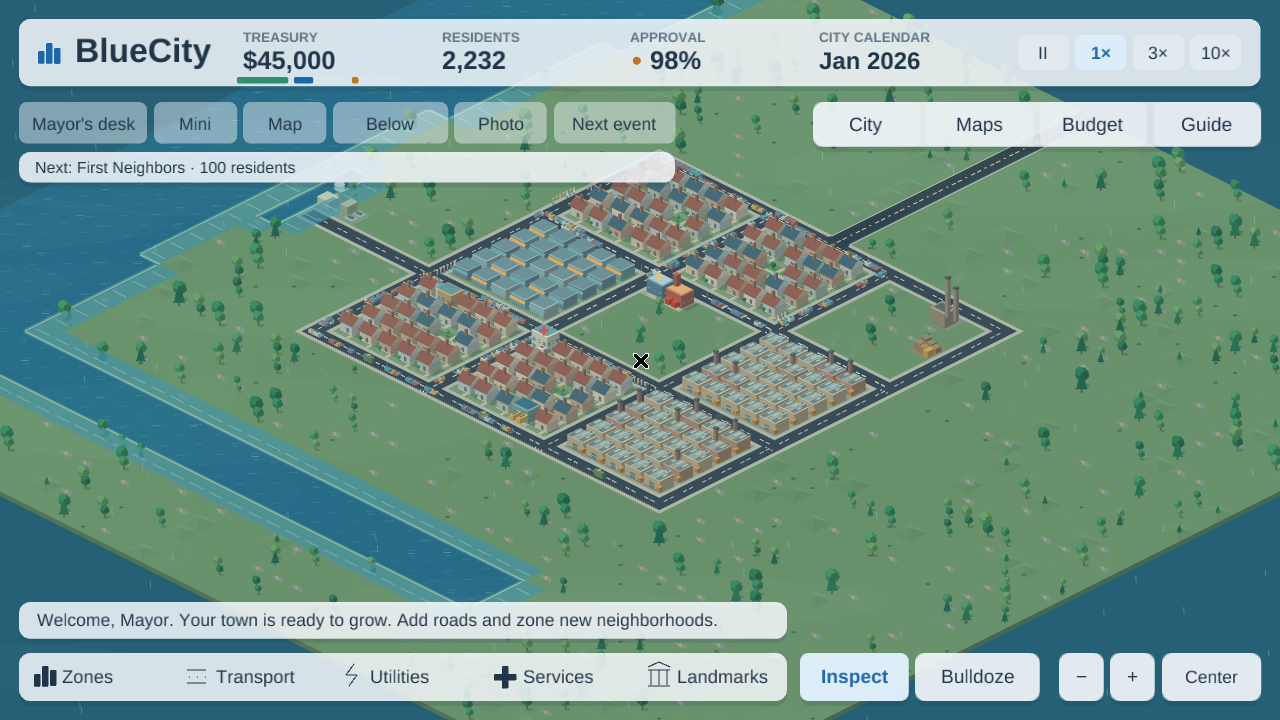
Build infrastructure and watch communities grow in BlueCity, an open-ended city management game made with BlueEngine. Connect homes, shops and industry to useful streets, utilities and public services; manage jobs, schooling, transport, land value and the budget as neighborhoods develop, decline and rebuild. A full-window isometric map sits beneath compact translucent controls.
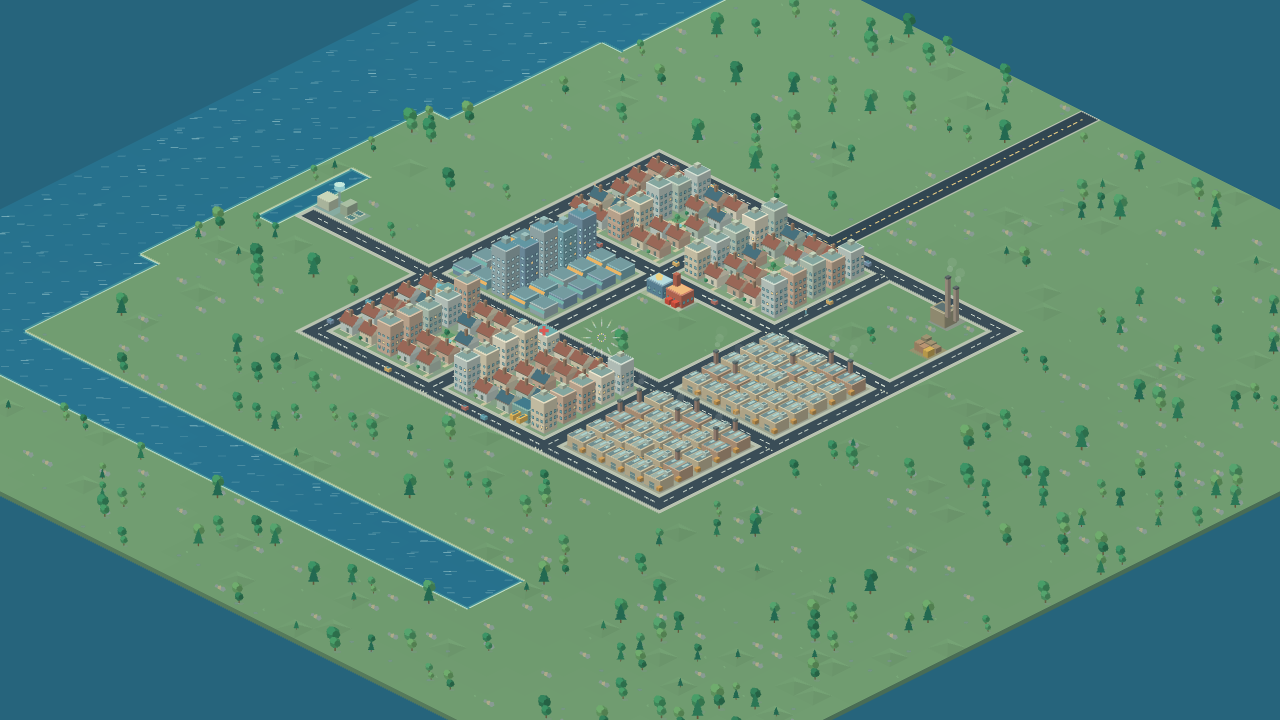
Start with an established town, generate a 128 × 128 region from one of seven map styles and three climates, or tackle one of eight authored scenarios. Real routed trips and service missions connect the city's economy: a coverage map cannot make a garbage truck, ambulance or repair crew cross a broken street. Elections, districts, ordinances, trade deals, milestones and megaprojects give a growing city new decisions. The sandbox continues after successes and emergencies; scenarios add explicit sustained objectives and deadlines.
Rules & objectives
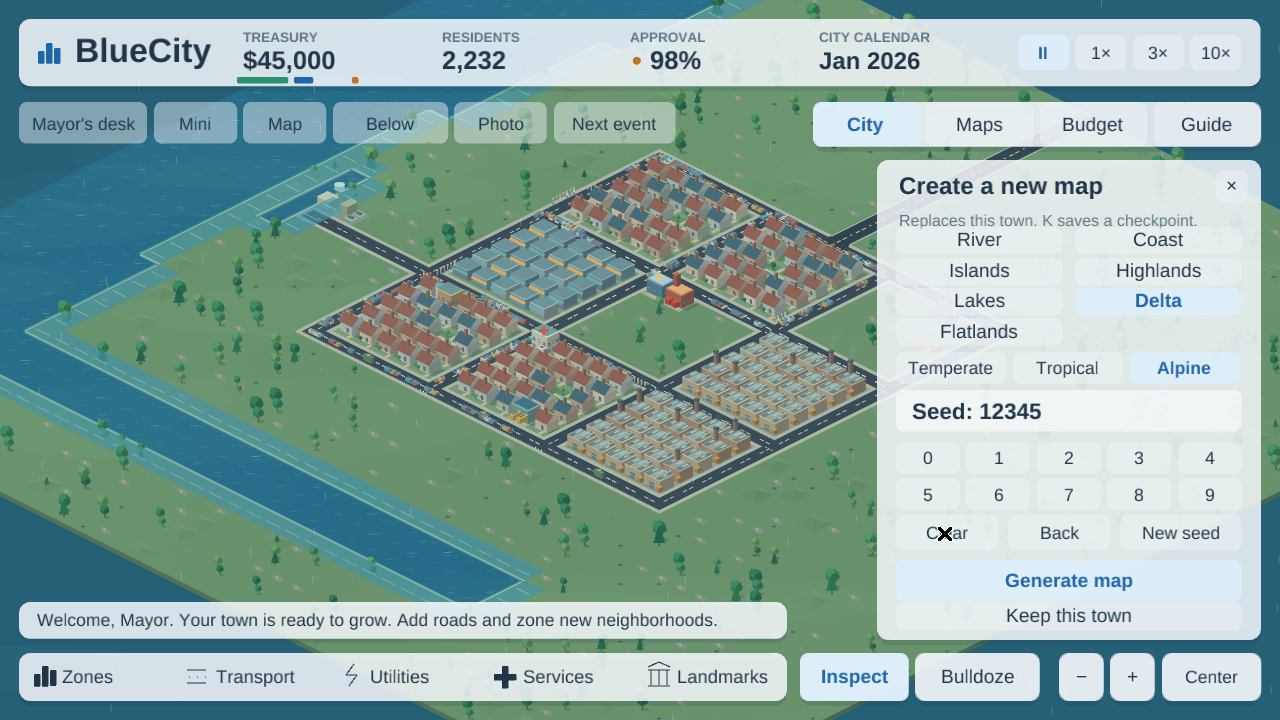
- For a new region, open Mayor's desk and choose New city or Surprise me. Choose River, Coast, Islands, Highlands, Lakes, Delta or Flatlands, plus Temperate, Tropical or Alpine climate. Reusing the same unsigned 64-bit seed, style and climate recreates the terrain. A new map replaces the current town, starts with $60,000 and pauses the calendar; save a manual checkpoint before replacing a town you want to keep.
- A blank town needs regional road access, power, water and a small mix of homes and jobs. Connect a road to the map edge and expand gradually. Open City to read residential, commercial and industrial demand and its reasons. Resume the calendar to let construction, growth and the monthly budget advance.
- Choose a build category along the bottom, then a tool and geometry. Line, curve, grid, rectangle, brush and roadside zoning share the exact preview with construction. The cursor shows the footprint, price and any refusal before you pay. Multi-tile placement normally uses a start and endpoint; facilities use one click. Locked tools explain the population or project requirement that unlocks them.
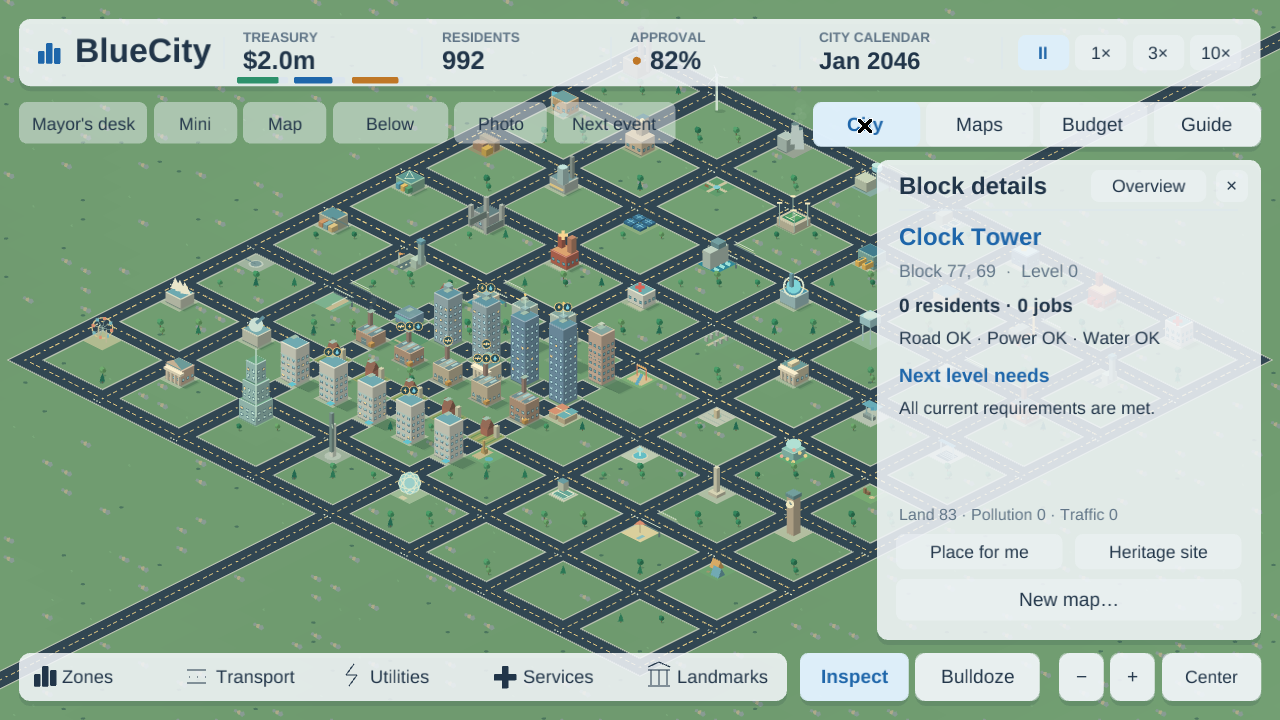
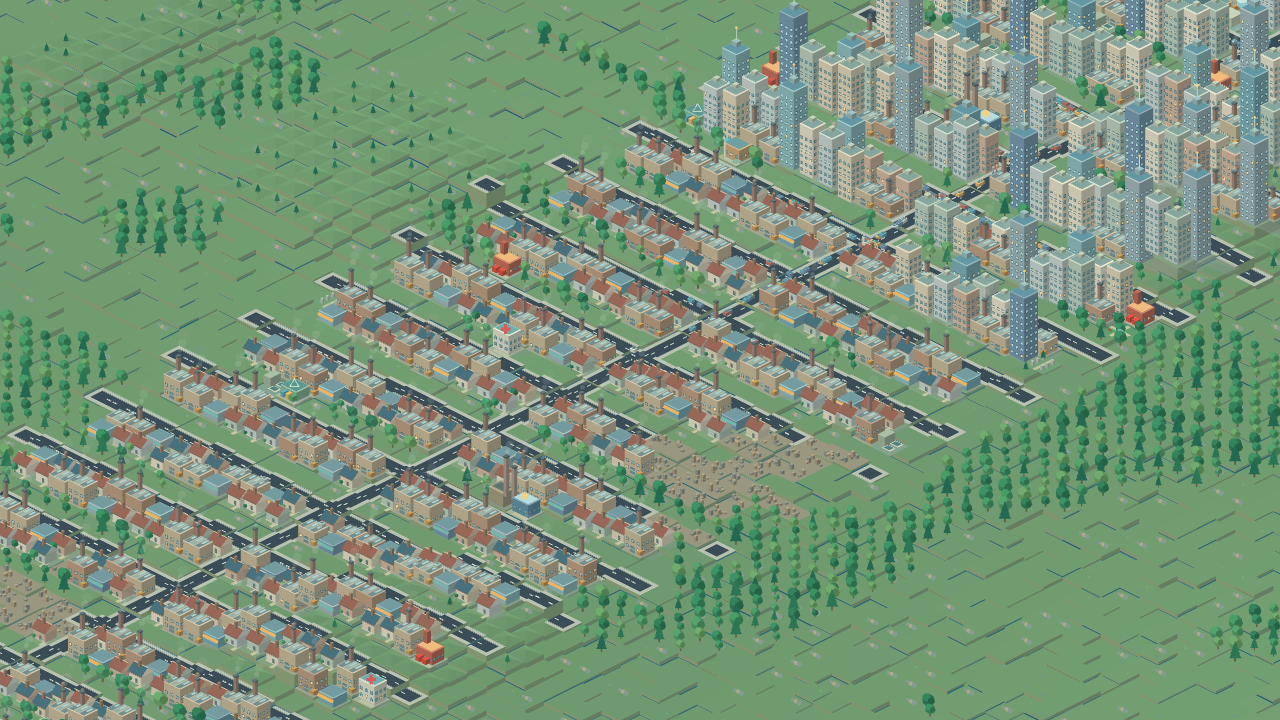
- Residential, commercial and industrial zones develop through construction stages and five density levels. Good access, utilities, demand and local conditions support growth. Vacancies and sustained shortages cause downgrade, decay, abandonment and eventual rubble; restoring infrastructure can allow rebuilding. Inspect a block and open City to see its problems and next-level requirements.
- Households need suitable jobs, education and services. Workers have four education tiers; advanced vacancies can remain unfilled even when unemployment is high, and educated workers may take less-skilled jobs. Evaluation shows age groups, births, deaths, migration, employment, overqualification and sixteen contributors to happiness.
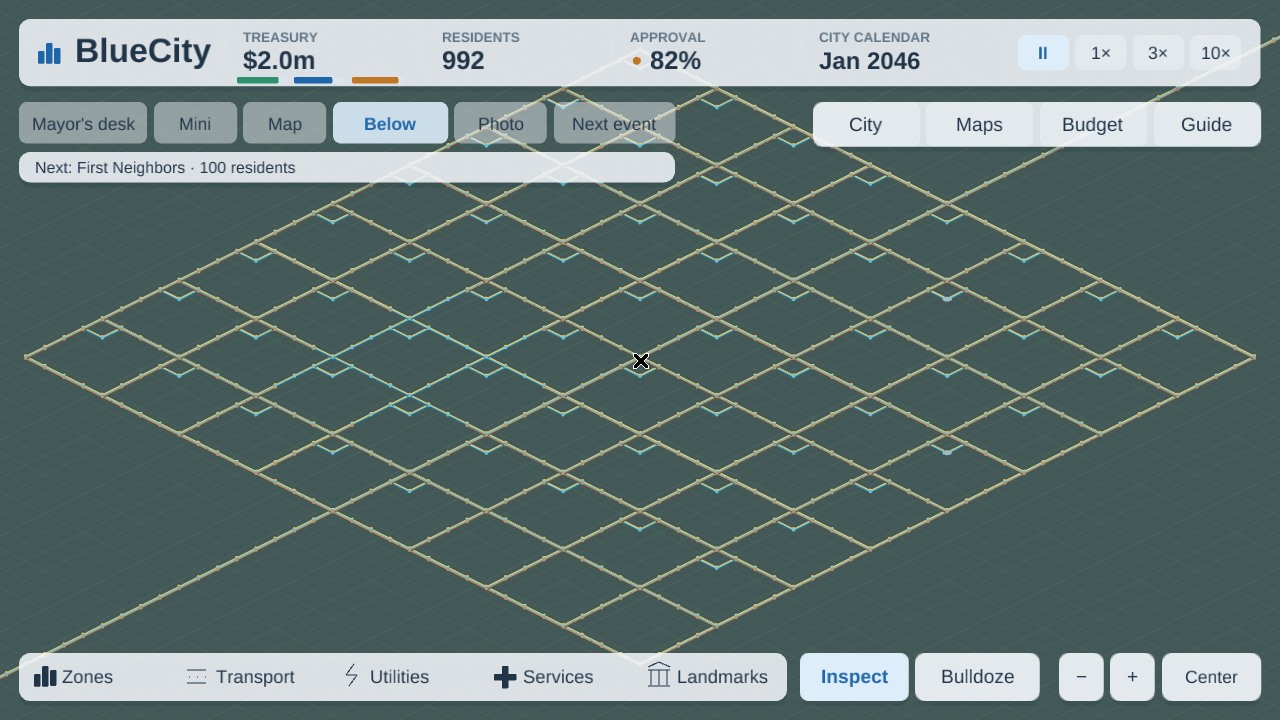
- Keep utility supply connected and large enough for demand. Choose coal, gas, nuclear, wind, solar, hydro or fusion generation; renewables react to the environment, and plant condition affects reliability. Pumps, towers, pipes, sewers and outlets handle water and sewage. Neighbor power purchases need real outside access and a saved agreement. The Below view exposes buried networks without demolishing surface buildings.
- Facilities must finish construction and have funding, access and required utilities before operating. Garbage trucks collect waste and deliver it to finite landfill, incineration or recycling capacity. Ambulances need working hospital beds, police need prison space, and hearses need deathcare capacity. Blocked roads and outages can interrupt these trips even when a neighborhood lies inside a coverage radius.
- Use roads, one-way streets, avenues, bridges, tunnels, roundabouts and highway ramps to connect communities. Trips account for congestion and road condition; worn or overloaded streets slow journeys. Rail, subway and freight routes provide other connections. Airfield, airport, seaport and marina services support trade and visitors when connected and operating. One-way lines and curves follow the order you draw them; inspect an existing one-way and use its direction-labelled Rotate button to turn it for free.
- For a bus line, build an operating depot and distinct connected stops, select the Bus line geometry, click the stops in order and finish the line in Transit lines. Other transit modes use their matching tracks, stations or water routes. Lines have fares, capacity, ridership and saved colors; people choose among viable routes rather than boarding across an unwalkable gap.
- Open Maps for twenty data views, including land value, pollution, traffic, utilities and four desirability views. Thirteen service coverages and Place for me help find a useful site. Check the proposed location's price and requirements before building. The minimap and full map move the camera; close windows when you want an unobstructed view.
- Raise, lower, level or smooth empty land; create or drain water; plant or clear trees. New trees mature over thirty-six months. Wind carries pollution and can spread fire; trees, parks and rain help clean the environment. Rivers, lakes, erosion, forests, ore and oil make map choice and industrial placement matter.
- The simple Budget view adjusts the three zone tax rates and four department funding levels. Advanced budget shows loans, bonds and recovery choices. Construction is an immediate cost; facilities, policies and debt add recurring costs. Review the operating balance and yearly report before committing to another district or large project.
- Municipal loans are issued and repaid in $10,000 steps, up to $30,000 outstanding. Separate bonds offer $10,000, $25,000 or $50,000 issues with fees, interest and maturity. Missed maturity brings a costly twelve-month extension. A finite overdraft grows with population from $20,000 to $100,000. Bailout, debt restructuring and January rewind have different costs and restrictions; bankruptcy protection discharges debt at a loss of trust. Ignoring a deficit past the settled credit limit triggers court receivership, resets cash to $5,000 and imposes twelve months of austerity and closed credit.
- Seventeen ordinances affect the real city and have enactment and running costs. You begin with three council slots; won elections and civic rewards can unlock more. Create nonoverlapping districts to follow local population, jobs and livability, choose a specialization and manage its costs. Heritage designation and the Heritage ordinance protect eligible older buildings until explicitly revoked.
- Emergency management controls disaster frequency, scheduled events, warnings and sandbox drills. Earthquakes, floods, meteors, tornadoes, hostile and friendly UFOs, plane crashes, monsters, riots and nuclear meltdowns have saved consequences. Relief is limited to verified recent damage. Request repair crews from a working maintenance depot; keep their routes open and reserve the quoted cost, which is charged on arrival.
- Milestones, reward requests and achievements recognize sustained progress. The Mayor's Notebook records annual reviews, elections and important decisions; Evaluation awards scores, grades and medals, and Graphs tracks sixteen histories. Arcology, Spaceport, World Expo and Science Center are phased megaprojects with prerequisites, deposits, installments and limited construction slots.
- Scenarios are Quiet Hollow, Gridlock Junction, River Delta, Harbour Trouble, Campus Comeback, Ashes to Avenues, Clean Slate and Capital Challenge. They begin with different real problems: a farming village, a bottleneck crossing, broken delta utilities, an isolated wharf, a schooling mismatch, eight fire-damaged lots, coal dependence and public debt. Read the Notebook and scenario Goals card for the exact deadline and qualifying streak. Success awards a prize; both success and failure let you continue the sandbox.
- Advisors and hints react to current conditions. Read The BlueCity Post, including the Mayor's Cat column, and the Chirper feed for complaints and compliments. Meet on a citizen post centers the map on the household's home and opens its saved profile; an older post may describe someone who has since moved away.
- Automatic progress resumes on the next launch. K writes a separate manual checkpoint; L replaces the current state with it. Released version 1 and 2 towns migrate to the expansion format, and an invalid save is refused without replacing the live city. Photo mode creates a clean PNG postcard in your user data folder, and milestones can make postcards automatically. Settings controls music, effects, ambience, text size, display scaling, calm view and autosave.
How to play
- WASD pans by default; controller directions also pan. All seventeen shortcuts can be rebound in Settings & controls, including to the arrow keys. Home centers the map, and Equal/Minus or the on-screen +/− buttons zoom.
- Click Zones, Transport, Utilities, Services or Landmarks to open its paginated tool palette. Choosing a tool closes the palette. Choose the geometry and click the map; most areas and networks use a start and endpoint, while a facility uses one click. Cost and refusal text follows the cursor.
- I selects Inspect and B selects Bulldoze. Inspect cancels placement; click a block, then open City for its details and next-level needs. Overview returns to city statistics. Clicking a management window, card or minimap does not build through it. For a selected one-way street, its direction-labelled Rotate button changes direction without another construction charge.
- City, Maps, Budget and Guide toggle compact drawers at the upper right. Mayor's desk opens the management windows, including scenarios, ordinances, districts, trade, evaluation, graphs, advisors, newspaper, Chirper, transit, projects, Notebook, advanced budget and Settings. Close a window with its × or Escape.
- Space pauses or resumes the city calendar. The top controls choose pause, 1×, 3× or 10×. Period or Next event advances to the next scheduled warning or monthly boundary. Calendar pause still allows building and management decisions.
- Escape opens Mayor's desk and pauses the city when no management window is open. K saves and L loads the manual checkpoint; both are also available in Mayor's desk. New city and Surprise me open the map confirmation rather than immediately deleting the current town.
- In the new-map panel, select style and climate, then enter a seed from 0 to 18446744073709551615 with the keyboard or keypad. Clear/Ctrl+A clears it; Back/Backspace removes a digit; New seed chooses another seed. Generate map confirms replacement, and Keep this town cancels.
- Tab toggles the full map. Mini toggles the minimap; click either map to move the camera. Below toggles underground networks. F12 or Photo enters photo mode and writes a postcard; Exit photo mode returns to play. F11 switches fullscreen.
- For a player transit line, choose its mode in Transit lines, select Bus line geometry, click existing matching stops in order, then return to Transit lines to finish. The line window also changes fares and enabled service. Use Settings volume controls for music, sound effects and city ambience.
- A controller's primary action activates the current pointer location. Without a pointer it applies the selected tool to the selected or camera-center tile; use the mouse to choose tools and management controls.
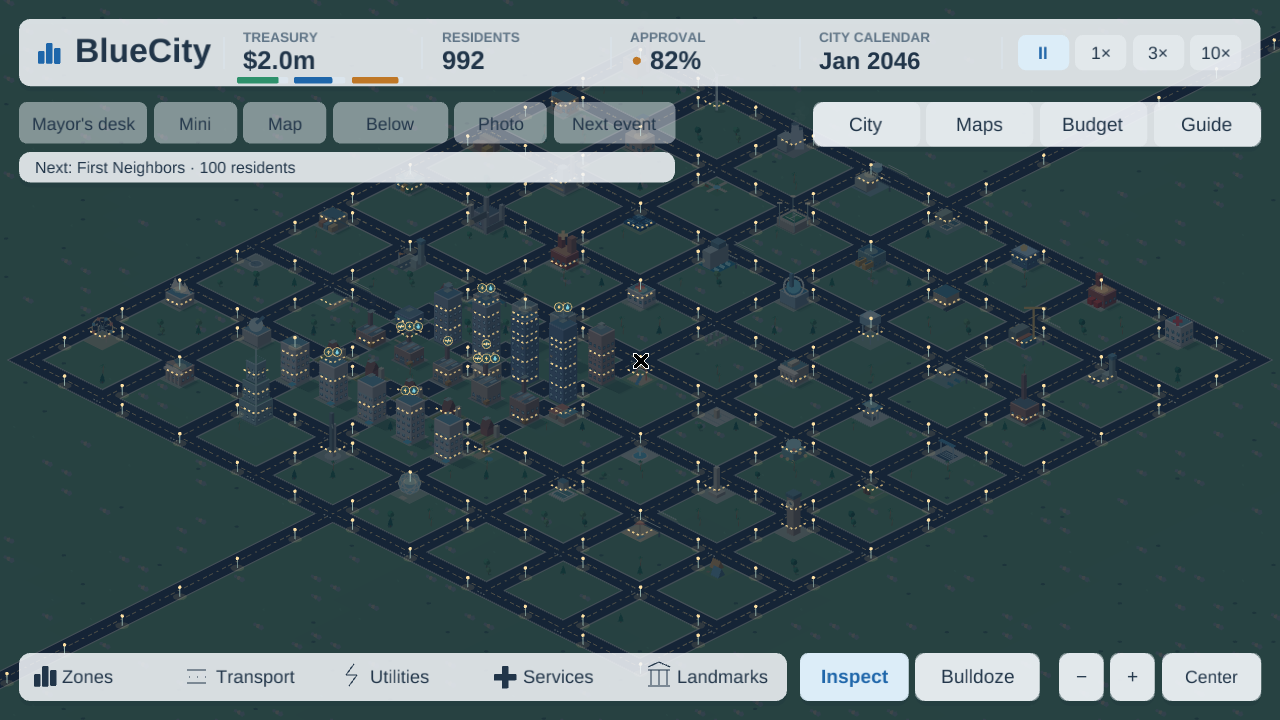
Screenshot gallery
Open an image to see the full capture.
Original human creation prompt
Using BlueEngine, make a SimCity clone called BlueCity. Ensure it has most if not every major feature from the original SimCity. Feel free to steal concepts and ideas from Cities skylines as well. I just want a super fun city management game where to build infrastructure and communities grow
The original creation request is reproduced verbatim. This guide describes the BlueCity expansion; development may use AI assistance.
Feedback center
Rate this game out of 10 and share what you enjoyed or would improve. Reviews are public in the BlueEngine repository and help guide future improvements.
Write a review on GitHub (GitHub sign-in required).
Versions
The latest release is the default. Choose an older release below to revisit a previous build.
| Released | Release | Download | Verify |
|---|---|---|---|
| 2026-10-23 Latest | BlueCity 0.3.0bluecity-v0.3.0 | Download installer (.exe) 14.0 MB | Checksums |
| 2026-10-21 | BlueCity 0.2.0bluecity-v0.2.0 | Download installer (.exe) 11.1 MB | Checksums |
| 2026-10-21 | BlueCity 0.1.1bluecity-v0.1.1 | Download installer (.exe) 10.8 MB | Checksums |
| 2026-10-21 | BlueCity 0.1.0bluecity-v0.1.0 | Download installer (.exe) 10.8 MB | Checksums |